





140 779
624
140 779
624
Dynamic Vehicle First Person
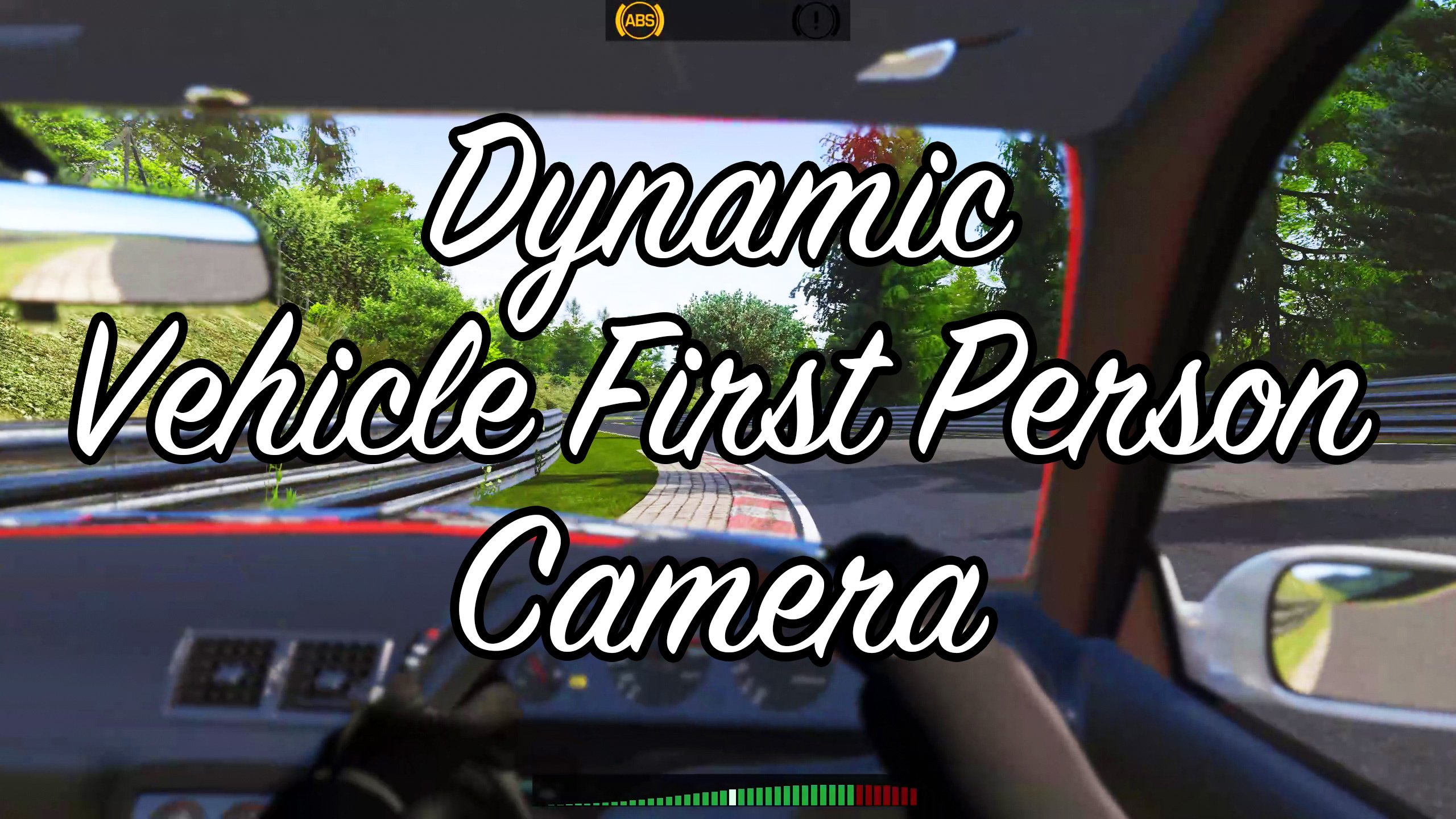
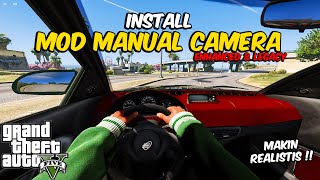
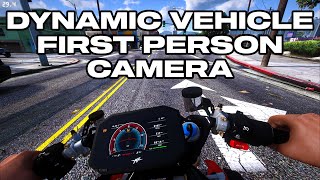
A custom first person vehicle camera script, with inertia effects, dynamic horizon lock, depth of field effects and a lot of customizability.
Originally made within Manual Transmission as a fix for locked camera with synced wheel animations, but it got too big, so I extracted it into a standalone script.
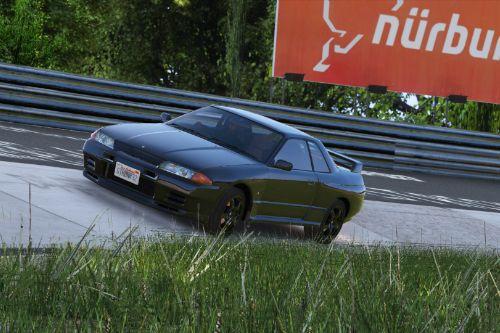
Settings and demo lap on the Nordschleife in Wanted188's GTR R32
Note: The steering animations is part of Manual Transmission's steering improvements.
Requirements
Installation
Copy DynamicVehicleFirstPerson.asi and the DynamicVehicleFirstPerson folder to the GTA V folder.
Alternatively, you may put the DynamicVehicleFirstPerson folder in %localappdata%\ikt\ if the GTA V folder is not writeable for the script.
Usage
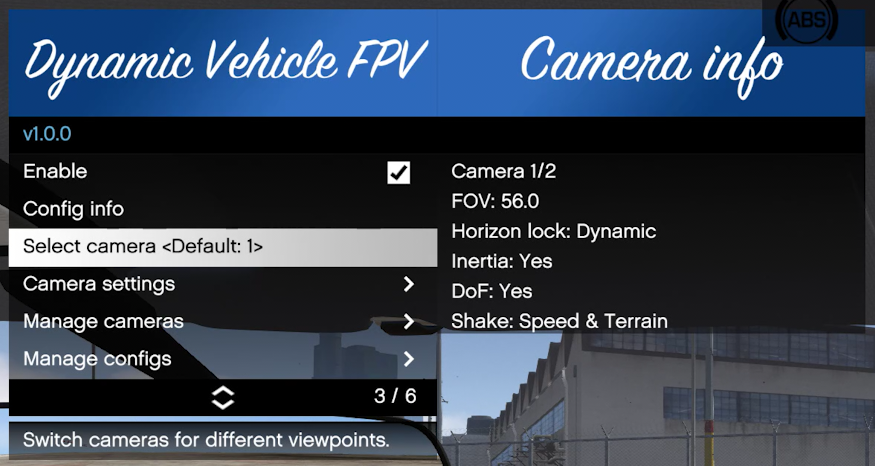
Use cheat 'dfpv' (without quotes) to open the menu. (Open the cheat console using the tilde (~) key, which is left to your 1 key, under the Escape key)
All camera settings are adjusted within the menu, with descriptions for what each option does.
The first person camera automatically activates when the camera is switched to first person view.
Refer to the included README.txt for more information, and how to configure the various configuration and camera possibilities.
Changelog
1.3.2
1.3.1
1.3.0
1.2.0
1.1.1
* Add FX_ASI_BUILD versions for FiveM compatibility
* Fix an issue with detecting current vehicle resulting in no inertia effects
1.1.0
* Change looking options to apply for all cameras. Existing camera control settings do not carry over!
* Add gamepad look mode 'Classic': Joystick moves camera in the chosen direction. Changes pitch and yaw.
* Add gamepad look mode 'Directional': Camera points in the same direction as the joystick. Only changes yaw. Requested by WTLS.
* The original gamepad look mode is now available as 'Direct': Joystick directly maps to pitch and yaw.
* Update dependencies for b2802+ support
1.0.1
* Improve seat location detection for looking back
* Looking back now consistently looks over the left shoulder for centered seats (motorcycles)
* Looking back now considers the existing rotation and continues in that direction
* Looking back now considers window presence, and leans full distance when window is rolled down or broken
* Disable in-vehicle audio on motorcycles (fixes missing reverb)
1.0.0
Initial release after splitting off from Manual Transmission.
Changes since Manual Transmission 5.5.1:
Camera management:
* The "Vehicle1", "Vehicle2" and "Driver Head" cameras, and their "Bike" duplicates, are replaced by a system
with multiple user-addable cameras per vehicle configuration, with "Vehicle" and "Driver Head" mount point being a
property of the Camera.
* Cameras in a single configuration are now easier to switch between, in the main menu.
Camera functionality:
* Add camera shake from vehicle speed (configurable, enabled by default)
* Add camera shake from terrain (configurable, enabled by default)
* Add depth of field effect (Requires Very High PostFX, disabled by default)
* Add vertical and lateral movement in response to physics
* "Lean" (how far to move the camera while looking back) is now configurable
* Accessories (helmets, hats, glasses) are now removed when entering FPV and are restored when switching back
* Fix horizon lock for looking backwards
* Fix horizon lock jumpy behavior while rolled over
* Fix vehicles lacking seat bones non-functional vehicle mount
* Fix FPV visual glitches: Traffic lights, rain particles, etc.
* Fix FPV audio: Now uses normal FPV audio
A custom first person vehicle camera script, with inertia effects, dynamic horizon lock, depth of field effects and a lot of customizability.
Originally made within Manual Transmission as a fix for locked camera with synced wheel animations, but it got too big, so I extracted it into a standalone script.
Settings and demo lap on the Nordschleife in Wanted188's GTR R32
Note: The steering animations is part of Manual Transmission's steering improvements.
Requirements
Installation
Copy DynamicVehicleFirstPerson.asi and the DynamicVehicleFirstPerson folder to the GTA V folder.
Alternatively, you may put the DynamicVehicleFirstPerson folder in %localappdata%\ikt\ if the GTA V folder is not writeable for the script.
Usage
Use cheat 'dfpv' (without quotes) to open the menu. (Open the cheat console using the tilde (~) key, which is left to your 1 key, under the Escape key)
All camera settings are adjusted within the menu, with descriptions for what each option does.
The first person camera automatically activates when the camera is switched to first person view.
Refer to the included README.txt for more information, and how to configure the various configuration and camera possibilities.
Changelog
1.3.2
- Actually store and load settings for re-center indicator and camera switch notification
- Add description of hotkeys to advanced readme
1.3.1
- Update memory code for Legacy 1.0.3788.0, fixing crashes
- Update memory code for Enhanced 1.0.1013.33
- Update menu for Enhanced record global
- Update menu for hotkey falsely triggering on camera switch
- Support independent camera modes
- Fix look back using steering wheel ignoring seat
- Fix menu description for pitch limits
1.3.0
- New features:
- First-person aiming is now handled by the script
- Reverting to vanilla aiming is possible in Settings
- For gameplay purposes, camera rotation limits exceed 180 degrees.
- Add a hotkey to switch cameras within a config
- Defaults:
- Gamepad: Hold X
- Keyboard: N
- A notification pops up when changing cameras
- This can be turned off in Settings
- Defaults:
- Add a hotkey to toggle re-centering
- Defaults:
- Gamepad: Dpad down
- Keyboard: B
- Re-centering is automatically re-enabled when switching views
- A small "o" indicator on the top left is shown while re-centering is disabled
- This can be turned off in Settings
- Defaults:
- Hotkeys for switching cameras and re-centering can be reassigned in settings_general.ini
- Check _info_Keys_Controls.txt for available keys and how they work.
- Horizontal and vertical sensitivity are decoupled for mouse and classic gamepad modes
- Old settings are automatically upgraded.
- For gamepad, the vertical sensitivity is halved during this upgrade.
- All sensitivity settings can be changed to personal preference afterwards.
- Disable heavy brake animation while in first person
- Add yaw and roll offset adjustments
- Increase range in pitch offset adjustment
- Increase range in position offset adjustment
- First-person aiming is now handled by the script
- Changes for Enhanced:
- Support GTA V Enhanced
- Allow turning off some first-person rendering flags to get RT mirror reflections in Enhanced
1.2.0
- Hide ped head using native game method (thanks to
C0RSAIR!)
- DismembermentASI not required anymore (thank you for allowing usage all this time
CamxxCore!)
- Glasses/Helmet overlays function correctly
- No clipping issues with other wearable player items
- DismembermentASI not required anymore (thank you for allowing usage all this time
- Add adjustable horizontal and vertical limits. See advanced readme for more info.
- Use same horizontal and vertical sensitivity for mouse look and classic gamepad look modes
- Sensitivity "base" values changed
- Mapping changed
- Change camera smoothing to use exponential decay
- "Smoothness" is replaced by "Responsiveness" and now uses normal numbers instead of incredibly small numbers.
- Fix wrong configuration chosen on startup
- Fix directional look controls inverted by vertical look inversion
- Fix directional look free rear look snapping to driver side window instead of back window
1.1.1
* Add FX_ASI_BUILD versions for FiveM compatibility
* Fix an issue with detecting current vehicle resulting in no inertia effects
1.1.0
* Change looking options to apply for all cameras. Existing camera control settings do not carry over!
* Add gamepad look mode 'Classic': Joystick moves camera in the chosen direction. Changes pitch and yaw.
* Add gamepad look mode 'Directional': Camera points in the same direction as the joystick. Only changes yaw. Requested by WTLS.
* The original gamepad look mode is now available as 'Direct': Joystick directly maps to pitch and yaw.
* Update dependencies for b2802+ support
1.0.1
* Improve seat location detection for looking back
* Looking back now consistently looks over the left shoulder for centered seats (motorcycles)
* Looking back now considers the existing rotation and continues in that direction
* Looking back now considers window presence, and leans full distance when window is rolled down or broken
* Disable in-vehicle audio on motorcycles (fixes missing reverb)
1.0.0
Initial release after splitting off from Manual Transmission.
Changes since Manual Transmission 5.5.1:
Camera management:
* The "Vehicle1", "Vehicle2" and "Driver Head" cameras, and their "Bike" duplicates, are replaced by a system
with multiple user-addable cameras per vehicle configuration, with "Vehicle" and "Driver Head" mount point being a
property of the Camera.
* Cameras in a single configuration are now easier to switch between, in the main menu.
Camera functionality:
* Add camera shake from vehicle speed (configurable, enabled by default)
* Add camera shake from terrain (configurable, enabled by default)
* Add depth of field effect (Requires Very High PostFX, disabled by default)
* Add vertical and lateral movement in response to physics
* "Lean" (how far to move the camera while looking back) is now configurable
* Accessories (helmets, hats, glasses) are now removed when entering FPV and are restored when switching back
* Fix horizon lock for looking backwards
* Fix horizon lock jumpy behavior while rolled over
* Fix vehicles lacking seat bones non-functional vehicle mount
* Fix FPV visual glitches: Traffic lights, rain particles, etc.
* Fix FPV audio: Now uses normal FPV audio
Première mise en ligne : 19 janvier 2023
Dernière mise à jour : 25 mars 2026
Téléchargé pour la dernière fois : il y a 7 minutes
All Versions
349 commentaires
More mods by ikt:
Dynamic Vehicle First Person
A custom first person vehicle camera script, with inertia effects, dynamic horizon lock, depth of field effects and a lot of customizability.
Originally made within Manual Transmission as a fix for locked camera with synced wheel animations, but it got too big, so I extracted it into a standalone script.
Settings and demo lap on the Nordschleife in Wanted188's GTR R32
Note: The steering animations is part of Manual Transmission's steering improvements.
Requirements
Installation
Copy DynamicVehicleFirstPerson.asi and the DynamicVehicleFirstPerson folder to the GTA V folder.
Alternatively, you may put the DynamicVehicleFirstPerson folder in %localappdata%\ikt\ if the GTA V folder is not writeable for the script.
Usage
Use cheat 'dfpv' (without quotes) to open the menu. (Open the cheat console using the tilde (~) key, which is left to your 1 key, under the Escape key)
All camera settings are adjusted within the menu, with descriptions for what each option does.
The first person camera automatically activates when the camera is switched to first person view.
Refer to the included README.txt for more information, and how to configure the various configuration and camera possibilities.
Changelog
1.3.2
1.3.1
1.3.0
1.2.0
1.1.1
* Add FX_ASI_BUILD versions for FiveM compatibility
* Fix an issue with detecting current vehicle resulting in no inertia effects
1.1.0
* Change looking options to apply for all cameras. Existing camera control settings do not carry over!
* Add gamepad look mode 'Classic': Joystick moves camera in the chosen direction. Changes pitch and yaw.
* Add gamepad look mode 'Directional': Camera points in the same direction as the joystick. Only changes yaw. Requested by WTLS.
* The original gamepad look mode is now available as 'Direct': Joystick directly maps to pitch and yaw.
* Update dependencies for b2802+ support
1.0.1
* Improve seat location detection for looking back
* Looking back now consistently looks over the left shoulder for centered seats (motorcycles)
* Looking back now considers the existing rotation and continues in that direction
* Looking back now considers window presence, and leans full distance when window is rolled down or broken
* Disable in-vehicle audio on motorcycles (fixes missing reverb)
1.0.0
Initial release after splitting off from Manual Transmission.
Changes since Manual Transmission 5.5.1:
Camera management:
* The "Vehicle1", "Vehicle2" and "Driver Head" cameras, and their "Bike" duplicates, are replaced by a system
with multiple user-addable cameras per vehicle configuration, with "Vehicle" and "Driver Head" mount point being a
property of the Camera.
* Cameras in a single configuration are now easier to switch between, in the main menu.
Camera functionality:
* Add camera shake from vehicle speed (configurable, enabled by default)
* Add camera shake from terrain (configurable, enabled by default)
* Add depth of field effect (Requires Very High PostFX, disabled by default)
* Add vertical and lateral movement in response to physics
* "Lean" (how far to move the camera while looking back) is now configurable
* Accessories (helmets, hats, glasses) are now removed when entering FPV and are restored when switching back
* Fix horizon lock for looking backwards
* Fix horizon lock jumpy behavior while rolled over
* Fix vehicles lacking seat bones non-functional vehicle mount
* Fix FPV visual glitches: Traffic lights, rain particles, etc.
* Fix FPV audio: Now uses normal FPV audio
A custom first person vehicle camera script, with inertia effects, dynamic horizon lock, depth of field effects and a lot of customizability.
Originally made within Manual Transmission as a fix for locked camera with synced wheel animations, but it got too big, so I extracted it into a standalone script.
Settings and demo lap on the Nordschleife in Wanted188's GTR R32
Note: The steering animations is part of Manual Transmission's steering improvements.
Requirements
Installation
Copy DynamicVehicleFirstPerson.asi and the DynamicVehicleFirstPerson folder to the GTA V folder.
Alternatively, you may put the DynamicVehicleFirstPerson folder in %localappdata%\ikt\ if the GTA V folder is not writeable for the script.
Usage
Use cheat 'dfpv' (without quotes) to open the menu. (Open the cheat console using the tilde (~) key, which is left to your 1 key, under the Escape key)
All camera settings are adjusted within the menu, with descriptions for what each option does.
The first person camera automatically activates when the camera is switched to first person view.
Refer to the included README.txt for more information, and how to configure the various configuration and camera possibilities.
Changelog
1.3.2
- Actually store and load settings for re-center indicator and camera switch notification
- Add description of hotkeys to advanced readme
1.3.1
- Update memory code for Legacy 1.0.3788.0, fixing crashes
- Update memory code for Enhanced 1.0.1013.33
- Update menu for Enhanced record global
- Update menu for hotkey falsely triggering on camera switch
- Support independent camera modes
- Fix look back using steering wheel ignoring seat
- Fix menu description for pitch limits
1.3.0
- New features:
- First-person aiming is now handled by the script
- Reverting to vanilla aiming is possible in Settings
- For gameplay purposes, camera rotation limits exceed 180 degrees.
- Add a hotkey to switch cameras within a config
- Defaults:
- Gamepad: Hold X
- Keyboard: N
- A notification pops up when changing cameras
- This can be turned off in Settings
- Defaults:
- Add a hotkey to toggle re-centering
- Defaults:
- Gamepad: Dpad down
- Keyboard: B
- Re-centering is automatically re-enabled when switching views
- A small "o" indicator on the top left is shown while re-centering is disabled
- This can be turned off in Settings
- Defaults:
- Hotkeys for switching cameras and re-centering can be reassigned in settings_general.ini
- Check _info_Keys_Controls.txt for available keys and how they work.
- Horizontal and vertical sensitivity are decoupled for mouse and classic gamepad modes
- Old settings are automatically upgraded.
- For gamepad, the vertical sensitivity is halved during this upgrade.
- All sensitivity settings can be changed to personal preference afterwards.
- Disable heavy brake animation while in first person
- Add yaw and roll offset adjustments
- Increase range in pitch offset adjustment
- Increase range in position offset adjustment
- First-person aiming is now handled by the script
- Changes for Enhanced:
- Support GTA V Enhanced
- Allow turning off some first-person rendering flags to get RT mirror reflections in Enhanced
1.2.0
- Hide ped head using native game method (thanks to
C0RSAIR!)
- DismembermentASI not required anymore (thank you for allowing usage all this time
CamxxCore!)
- Glasses/Helmet overlays function correctly
- No clipping issues with other wearable player items
- DismembermentASI not required anymore (thank you for allowing usage all this time
- Add adjustable horizontal and vertical limits. See advanced readme for more info.
- Use same horizontal and vertical sensitivity for mouse look and classic gamepad look modes
- Sensitivity "base" values changed
- Mapping changed
- Change camera smoothing to use exponential decay
- "Smoothness" is replaced by "Responsiveness" and now uses normal numbers instead of incredibly small numbers.
- Fix wrong configuration chosen on startup
- Fix directional look controls inverted by vertical look inversion
- Fix directional look free rear look snapping to driver side window instead of back window
1.1.1
* Add FX_ASI_BUILD versions for FiveM compatibility
* Fix an issue with detecting current vehicle resulting in no inertia effects
1.1.0
* Change looking options to apply for all cameras. Existing camera control settings do not carry over!
* Add gamepad look mode 'Classic': Joystick moves camera in the chosen direction. Changes pitch and yaw.
* Add gamepad look mode 'Directional': Camera points in the same direction as the joystick. Only changes yaw. Requested by WTLS.
* The original gamepad look mode is now available as 'Direct': Joystick directly maps to pitch and yaw.
* Update dependencies for b2802+ support
1.0.1
* Improve seat location detection for looking back
* Looking back now consistently looks over the left shoulder for centered seats (motorcycles)
* Looking back now considers the existing rotation and continues in that direction
* Looking back now considers window presence, and leans full distance when window is rolled down or broken
* Disable in-vehicle audio on motorcycles (fixes missing reverb)
1.0.0
Initial release after splitting off from Manual Transmission.
Changes since Manual Transmission 5.5.1:
Camera management:
* The "Vehicle1", "Vehicle2" and "Driver Head" cameras, and their "Bike" duplicates, are replaced by a system
with multiple user-addable cameras per vehicle configuration, with "Vehicle" and "Driver Head" mount point being a
property of the Camera.
* Cameras in a single configuration are now easier to switch between, in the main menu.
Camera functionality:
* Add camera shake from vehicle speed (configurable, enabled by default)
* Add camera shake from terrain (configurable, enabled by default)
* Add depth of field effect (Requires Very High PostFX, disabled by default)
* Add vertical and lateral movement in response to physics
* "Lean" (how far to move the camera while looking back) is now configurable
* Accessories (helmets, hats, glasses) are now removed when entering FPV and are restored when switching back
* Fix horizon lock for looking backwards
* Fix horizon lock jumpy behavior while rolled over
* Fix vehicles lacking seat bones non-functional vehicle mount
* Fix FPV visual glitches: Traffic lights, rain particles, etc.
* Fix FPV audio: Now uses normal FPV audio
Première mise en ligne : 19 janvier 2023
Dernière mise à jour : 25 mars 2026
Téléchargé pour la dernière fois : il y a 7 minutes
 5mods on Discord

I have to report something, I don't know if it's just me or not: when I disable : Notify Camera change and Re centre pause indicator.. and after I restart the game they are activated again, I have to disable them each time I start the game
@skipper00123
Are you on Enhanced? You'll need DirectStorageFix.
can you do the same steering animations how it in manual transimision
@ikt no legacy, I'll try in out anyway, do you think something's else might cause that?
@ikt it didn't work , :( it's driving me crazy
@skipper00123
Ah, oops. The settings were never saved/loaded. I'll make a fix right away.
@ikt thanks for the fix, it works
will this make the side mirrors reflecting the real time traffic?
@zyankenta
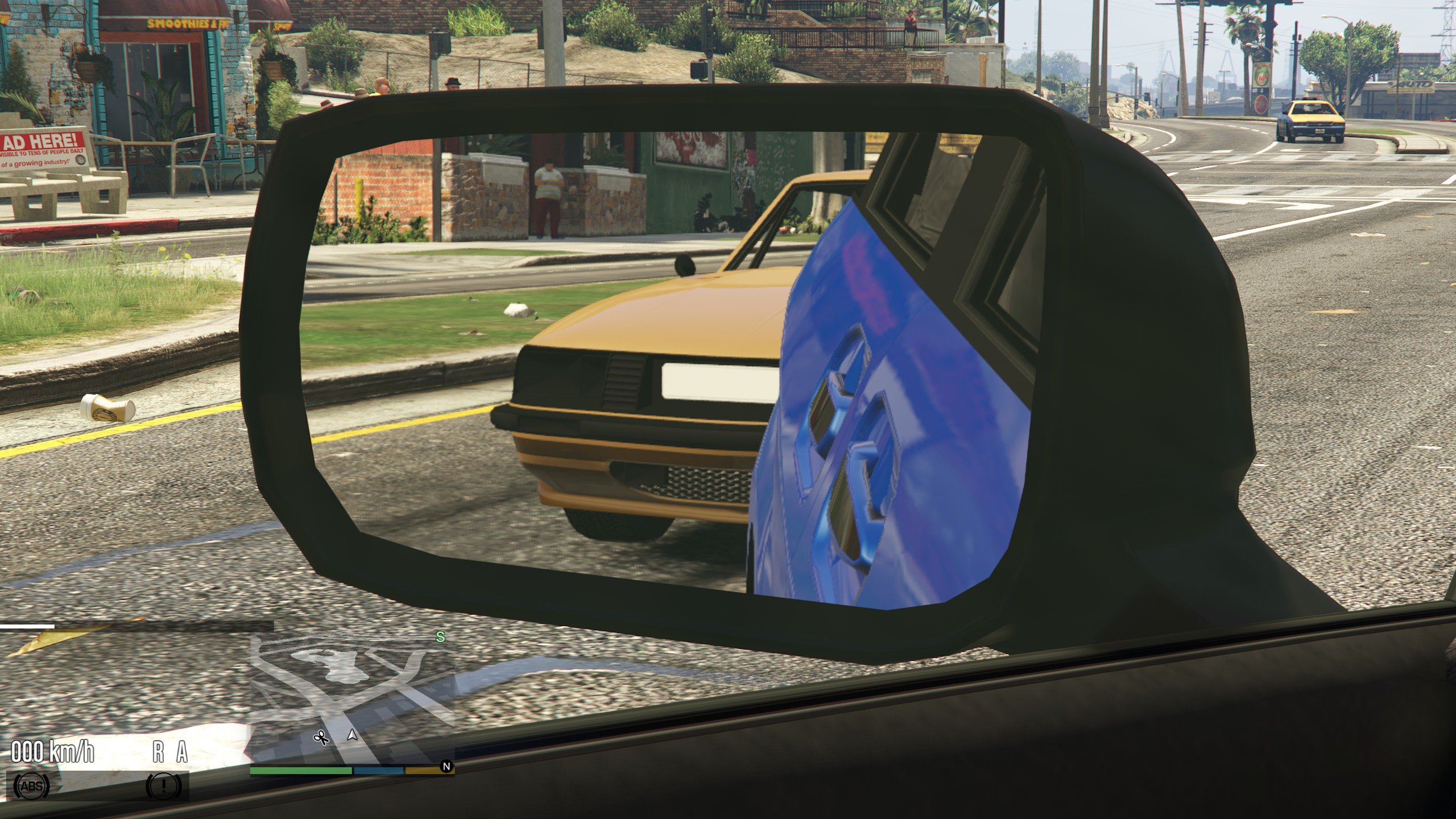
If you turn off the first person flags in the debug menu, if you're on GTA V Enhanced, driving vehicles that have real mirror material, angled in the correct way.
hello can you make this compatible with ragemp?
soo good this mod does me happy today)
Do you know the Key Code for Mouse Button 5?
Hi, Is there a fix for camera being stuck? So I was playing michael and driving while on First Person, I switched to Franklin and now the Camera doesn't change/move, it's stuck in one place even though I move the car.
@ikt is there any chance to open the github repository for this one?
BTW, thanks for your job.
@CrucialThread
No, I'm not publishing the source of things I make any more.
@ikt no problem mate, it is your baby, thanks for reply anyway
Hi @ikt, Found an issue. when using seashark, my view is from Charater's crotch.
adding another issue found. When doing a barrel roll in an airplane, the camera freaks out.
@agio20 disable horizon lock, it helps with airplanes
can i put this on enhanced? and also what is dfpv